
Free Software Every Civil Engineering Student Should Install (2026 Guide)
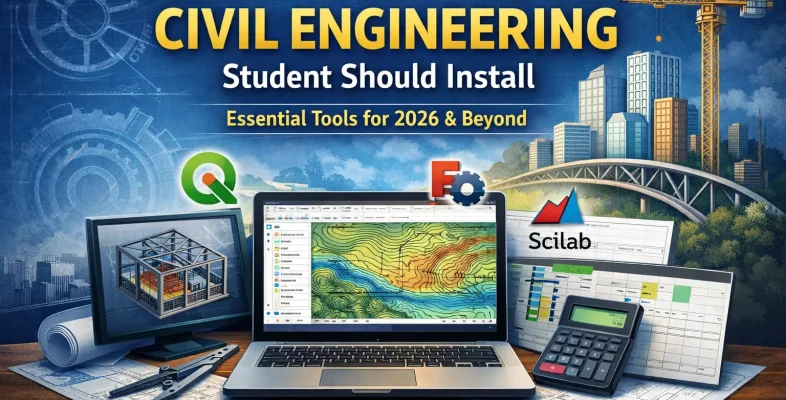
Most civil engineering students start their first year the same way — searching for cracked versions of AutoCAD or STAAD.Pro, downloading sketchy files, and hoping their laptop survives. It works until it doesn’t. One corrupted file, one failed submission, one academic integrity flag, and the semester unravels.
Here’s what nobody tells you early enough: there is a full stack of free software for civil engineering students that is legal, stable, and genuinely useful — not just for assignments, but for building the kind of workflow that impresses lecturers and future employers.
This guide covers the free software every civil engineering student should install, how to use it together, and what to realistically expect from each tool.
Why Free Software for Civil Engineering Students Makes Sense
Before the tool list, let’s settle the “but industry uses Revit and AutoCAD” argument.
Yes, industry does. And most universities have licensed versions of those tools available in computer labs or through student portals. That is where you use them for coursework that demands it.
Free software serves a different purpose. It gives you:
- A setup you control — works on your own laptop, offline, without license servers timing out
- A learning environment — you can experiment without worrying about trial periods expiring
- Real transferable skills — QGIS is used by government agencies, NGOs, and consultancies. FreeCAD teaches parametric modeling logic that applies across platforms
- Zero legal risk — no cracked software, no malware exposure, no academic misconduct issues
The argument is not free vs. paid. The argument is having a personal, functional setup that supports your education without depending on lab computers or piracy.
Best Free Software Every Civil Engineering Student Should Install (2026)
These are not filler picks. Each tool below solves a specific problem you will actually face as a student.
1. QGIS — For Mapping, Site Analysis, and GIS Work
QGIS is the most powerful free GIS (Geographic Information System) software used in civil engineering, urban planning, and environmental analysis.
What it does: QGIS lets you work with spatial data. You can load topographic maps, analyze drainage patterns, assess slope and elevation, overlay infrastructure data, and produce professional-grade maps for reports.
Where you will use it as a student:
- Site analysis reports for design projects
- Drainage and stormwater mapping
- Land use and environmental impact assessments
- Final year project spatial analysis
Why it matters: Civil engineering is fundamentally about land and space. A student who can open a shapefile, interpret contour data, and produce a mapped site analysis looks significantly more capable than one who cannot. QGIS teaches you that skill for free.
The learning curve is real — give yourself two to three sessions before it feels natural. Start with loading a basemap and adding a shapefile layer. The QGIS documentation is detailed and the YouTube community around it is active.
2. FreeCAD — For 3D Modeling and Design Concepts
FreeCAD is an open-source parametric 3D modeling software used for engineering design and CAD workflows.
What it does: FreeCAD allows you to build 3D models of structures, components, and assemblies. Its parametric system means dimensions are linked — change one value and the model updates throughout. This is the same logic used in professional CAD tools.
Where you will use it as a student:
- Visualizing structural elements for reports
- Practicing 3D modeling ahead of lab sessions on university software
- Understanding design geometry before it appears in professional tools
- Supplementary design work for final year projects
Why it matters: Students who have never touched 3D modeling before often struggle when they sit down with Revit or Civil 3D for the first time. FreeCAD removes that friction. It teaches you how parametric modeling works — constraints, sketches, extrusions, assemblies — so that when you do access professional tools, you are not starting from zero.
It is not a replacement for AutoCAD or Revit in a professional sense. But as a learning environment and a free 3D workspace, it is excellent.
3. LibreOffice — For Reports, Calculations, and Presentations
LibreOffice is a free office suite used for engineering reports, spreadsheets, and technical documentation.
What it does: Everything you would use Microsoft Office for — writing technical reports, building calculation sheets, formatting presentations for vivas — LibreOffice handles it. Files are compatible with .docx and .xlsx formats, so you can share work with classmates or submit to lecturers without format issues.
Where you will use it as a student:
- Lab reports and technical documentation
- Hydraulics or structural calculation sheets in Calc
- Project presentations in Impress
- Dissertation writing in Writer
Why it matters: Microsoft Office is not free. Many students access it through university subscriptions that expire after graduation. LibreOffice is yours permanently, runs on any operating system, and handles everything an engineering student needs in terms of documentation.
The only real gap is Excel’s more advanced data analysis plugins, but for undergraduate-level engineering calculations, LibreOffice Calc is entirely sufficient.
4. OpenSees — For Structural Analysis
OpenSees (Open System for Earthquake Engineering Simulation) is an open-source structural analysis software used in research and advanced engineering studies.
What it does: It performs nonlinear analysis of structural and geotechnical systems. For undergraduate students, it is most relevant for structural engineering modules and research-focused final year projects.
Where you will use it as a student:
- Structural analysis assignments
- Final year project simulations
- Research modules dealing with structural behavior
This is a more advanced tool than the others and works best if your course has a structures-heavy focus. It has a steeper learning curve but is widely cited in academic research, which adds credibility to any project that uses it.
5. Scilab — For Engineering Calculations and Numerical Analysis
Scilab is a free numerical computing software similar to MATLAB, used for engineering calculations and simulations.
What it does: Scilab handles matrix operations, numerical computation, data plotting, and simulation. The syntax is close enough to MATLAB that most student scripts translate with minimal adjustment.
Where you will use it as a student:
- Numerical methods coursework
- Fluid flow calculations
- Structural load analysis scripts
- Data plotting for lab reports
Many engineering students pay for MATLAB subscriptions they barely use because they do not know Scilab exists. If your university does not provide MATLAB access, this is the direct replacement.
How Civil Engineering Students Can Use Free Software to Build One Workflow
Installing software is not the goal. Using it in a connected way is. Here is the student workflow that actually makes sense:
Step 1 — Site Data → QGIS. Use QGIS to analyze the site. Load elevation data, assess drainage direction, map land use, and export clean visuals for your report.
Step 2 — Design → FreeCAD. Use FreeCAD to model the structure or component in 3D. Export views for documentation or use the model to understand geometry before taking it to university lab software.
Step 3 — Analysis → Scilab. Run any numerical calculations — flow rates, load combinations, factor of safety — in Scilab. Plot results and export the data.
Step 4 — Documentation → LibreOffice. Bring everything together in LibreOffice Writer. Embed your QGIS maps, FreeCAD screenshots, and Scilab plots. Format the report properly and submit.
This is a complete, functional academic workflow that costs nothing.
What Free Civil Engineering Software Cannot Replace
What free tools do not replace:
- AutoCAD LT or full Civil 3D for detailed road or drainage design drawings
- STAAD.Pro or SAP2000 for professional-level structural analysis
- Revit for BIM workflows in construction projects
- ETABS for building design at industry standard
These gaps matter when you are working on industry placements or professional projects. They do not matter for 95% of undergraduate coursework, where the goal is demonstrating understanding — not producing industry-ready deliverables.
Use the free tools for your personal setup and learning. Use university-licensed software when the assignment specifically demands it.
Common Mistakes When Using Free Civil Engineering Software
Installing everything at once and using nothing deeply. Pick two tools and learn them well. QGIS and LibreOffice alone will serve most students through their entire degree.
Using them in isolation. The value comes from connecting them. A QGIS map inside a LibreOffice report with Scilab-generated data is a professional-looking submission. Each tool alone is less impressive.
Expecting them to feel like industry software immediately. There is a learning period. Set aside time in the first two weeks of a semester to get familiar, not the night before a deadline.
Final Setup Recommendation
If you are installing today, start here:
| Tool | Purpose | Priority |
|---|---|---|
| QGIS | Mapping and site analysis | Install first |
| LibreOffice | Reports and documentation | Install first |
| FreeCAD | 3D modeling and design | Install second |
| Scilab | Calculations and numerical methods | Install if MATLAB is needed |
| OpenSees | Structural analysis | Install for advanced projects |
Conclusion
The best free software for civil engineering students is not a shortcut — it is a system. QGIS handles your spatial work. FreeCAD builds your design thinking. LibreOffice keeps your documentation professional. Scilab handles the numbers.
You do not need expensive tools to produce strong academic work. You need the right tools, used consistently, connected into a workflow that supports your projects from site analysis to final report.
Install the stack. Learn two tools properly before adding more. Build the habit early — it compounds.
Related reading
How to Organize Your Civil Engineering Final Year Project
Top 10 Civil Engineering Software for Students (2026)
Civil Engineering Student Productivity System
How to Write a Structural Analysis Report (Free Template Structure)
Frequently Asked Questions About Free Civil Engineering Software
What is the best free software for civil engineering students?
The best free software for civil engineering students includes QGIS for mapping, FreeCAD for 3D modeling, LibreOffice for reports, and Scilab for calculations. The right choice depends on your coursework and specialization.
Is FreeCAD good for civil engineering students?
FreeCAD is useful for learning 3D modeling and parametric design. While it is not a full replacement for AutoCAD or Revit, it helps students understand core CAD concepts before using industry tools.
Can I use free software instead of AutoCAD?
Free software like FreeCAD can support learning and basic design tasks, but it does not fully replace AutoCAD for professional drafting. Most students use free tools alongside university-provided software.
Want the full paid + free software stack in one guide?
See the top 10 tools civil engineering students actually need, from AutoCAD to Primavera P6.